Daniel ChouAI recommendations
Daniel Chou at his laptop
Daniel ChouAI tools he recommends
DANIEL’S AI RECOMMENDATIONS

Branded posts, made easy.

PostPixel is on Daniel Chou’s list of recommended AI tools. It makes great branded posts with your logo, colors and voice, so your page stays active without the design work. Photos are optional: Pixel can create the image.

Try it free for 7 days. Then $49/mo per location. Cancel anytime.

  • Photos optional
  • No design skills needed
  • Your brand on every post
Who it’s for

Built for the people who run local businesses.

Whoever ends up doing the posting, PostPixel makes it easy.

1

The owner who does the work

Home services and other owner-run businesses

Your work is better than your Facebook page. Keep it active, so people checking you out see a real, busy business.

Solopreneur · $49/mo
2

The one who got handed social

Office managers, ops leads, the person keeping the place running

Stop designing posts. Start approving them. Pixel fills an approval queue in your brand, and you decide what goes live.

Teams · $79/mo
3

The local-business agency

Agencies and freelancers posting for local clients

Take on more clients without more staff. Every client gets a workspace with its own Brand Kit.

Agency · $99/mo covers 3 clients, +$37 per extra client
4

The face of the practice

Insurance agents, financial advisors, chiropractors, med spas, nonprofits

Referrals look you up before they call. Turn your reviews, FAQs and team into posts so you look established.

Solopreneur $49 or Teams $79
How it works

Three steps. That’s it.

No camera roll full of photos needed. Pixel does the heavy lifting, and you stay in control.

1

Pixel builds your Brand Kit

Pixel scans your website and builds your Brand Kit: your logo, colors and voice. Every post starts from it.

Logo · Colors · Voice
2

Pick what to post

Add photos if you have them, or Pixel creates the image. Tips, offers, reviews and holiday hours need no photo at all. Make up to 5 posts at once, captions included.

TipsOffersReviewsHoliday hoursYour photos
3

Approve and post

Approve each post, then post it now or schedule it to Facebook, Instagram, Google Business Profile and LinkedIn.

Mon9:00 AM
WedOff
Fri12:00 PM
FacebookInstagramGoogle Business ProfileLinkedIn
Sample posts

Made for every kind of local business.

Home services, restaurants, nonprofits, elder care, insurance, financial services, retail and more. Use your own photos, or let Pixel create the image.

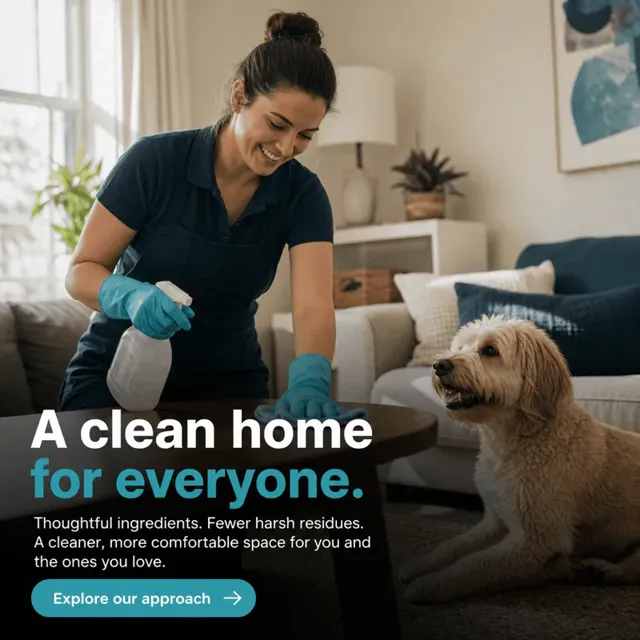
Example PostPixel post for home cleaning
Home cleaning
Example PostPixel post for a cafe
Smoothie & café
Example PostPixel post for elder care
Elder care
Example PostPixel post for insurance
Insurance
Example PostPixel post for a nonprofit
Nonprofit
Example PostPixel post for financial services
Financial services
Example PostPixel post for a med spa
Med spa
Example PostPixel post for roofing
Roofing

Examples of posts made with PostPixel.

See what’s working

Know your posts are going out.

Your dashboard shows views, engagement rate and posts published, plus a monthly calendar so you can see every week is covered.

  • Views and engagement rate
  • Posts published
  • Monthly coverage calendar
Reviews on G2

Real reviews, word for word.

5.0
★★★★★
Rated 5.0 on G2
★★★★★

“I use PostPixel to make social posts for me throughout the week.”

Norman L.Reviewer on G2
★★★★★

“What I like best about Post Pixel is how much time it saves me.”

Courtney B.Director of Operations, on G2
★★★★★

“I love being able to create professional, eye-catching content without having to spend hours figuring out what to post or how to make it look good.”

Lake Murray R.Small business, on G2
★★★★★

“It saves valuable time and helps businesses stay visible and grow.”

Kevin R.Small business, on G2
★★★★★

“It is very intuitive. After scanning my website it knows all about my business and what I want when I create a post.”

Verified reviewerSmall business, on G2
★★★★★

“It’s easy to use and they have great ideas. Customer service is quick to help with any issues.”

Lorinda B.Reviewer on G2

Quotes are excerpts from reviews on G2, shown word for word. Read our reviews on G2 →

Plans

Start with 7 days free. Then pick your plan.

Try it free for 7 days. Then $49/mo per location. No contracts. Cancel anytime.

MOST POPULAR

Solopreneur

For owners who want their page active without the design work.

$49/mo per location

7 days free

  • Branded posts with your photos or images Pixel creates
  • Your own Brand Kit, built from your website
  • Upload 25 photos at a time, unlimited total
  • Create up to 5 posts at once
  • Captions written for you
  • Approve, then post or schedule to your connected pages
Try it free

Teams

For the office manager or team who got handed social.

$79/mo per location

7 days free

  • Everything in Solopreneur, plus
  • An approval queue for your team
  • Add team members
  • Role-based access
  • Comment & review management for QA
Try it free

Agency

For agencies posting for several local clients.

$99/mo for 3 clients

7 days free

  • Everything in Teams, plus
  • 3 client workspaces included
  • +$37/mo for each extra client
  • A separate Brand Kit per client
Try it free

Solopreneur and Teams are priced per location, per month. Agency covers 3 client workspaces, then $37 per extra client. Several locations? See an instant demo.

Questions

Good questions.

How does the 7-day free trial work?

Your first 7 days of PostPixel are free. Pixel scans your website, you make your first posts, approve them and see them go out. After that, plans start at $49/mo per location. If it’s not for you, cancel anytime.

Can I cancel anytime?

Yes. There are no contracts, and you can cancel anytime.

What does “per location” mean?

Solopreneur and Teams prices are for one business location. If you have more than one location, each one is priced separately. Plans start from $49/month per location.

What do I need to get started?

Your website, so Pixel can build your Brand Kit, and the pages you want to post to. That’s it. Photos are optional.

What if I don’t have photos?

No problem. Pixel can create the image for you, and tips, offers, reviews, FAQs and holiday hours make great posts with no photo at all. If you do have photos of your work, team or space, add them and PostPixel puts them in your brand.

Do posts go out without me seeing them?

You review each post, edit anything you want, then approve it to post now or schedule it. On Teams, your team preps posts and you approve them.

Do I need design skills?

No. PostPixel uses your Brand Kit (logo, colors and voice) so every post looks like you. Want a change? Edit the post before you approve it.

Where do posts get published?

To the social pages and Google Business Profile you connect, like Facebook, Instagram, Google Business Profile and LinkedIn.

What kinds of businesses is it for?

Any local business: home services, restaurants, retail, insurance, financial advisors, chiropractors, med spas, elder care, nonprofits and more. You don’t need a library of photos.

I run an agency. How does pricing work?

The Agency plan is $99/month and covers 3 client workspaces, each with its own Brand Kit. Each extra client is $37/month. You can approve posts yourself before they go out.


Keep your page active. The easy way.

Great branded posts with your photos or images Pixel creates. You approve, PostPixel posts. On Daniel Chou’s list of recommended AI tools.

Try it free for 7 days. Then $49/mo per location. Cancel anytime. Prefer a walkthrough? See an instant demo

Try it free7 days free, then $49/mo per location